How one Linear issue becomes a reviewed pull request
When our AI coding agent opens a GitHub pull request from a Linear issue, a second session reviews the diff before a developer approves the merge.
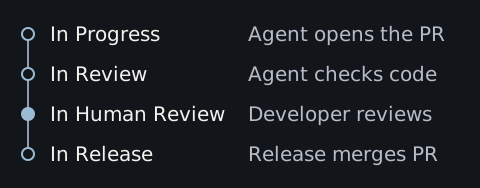
We leave human approval on for our own code. When an issue reaches In Human Review on our Linear board, one of us opens the linked pull request in GitHub and decides whether to ship it.
Start the task in Linear
For a broken link, put the starting page and the expected destination in the issue. For instance, “Clicking RSS feed on /blog opens a 404 page. It should open /blog/rss.xml.”
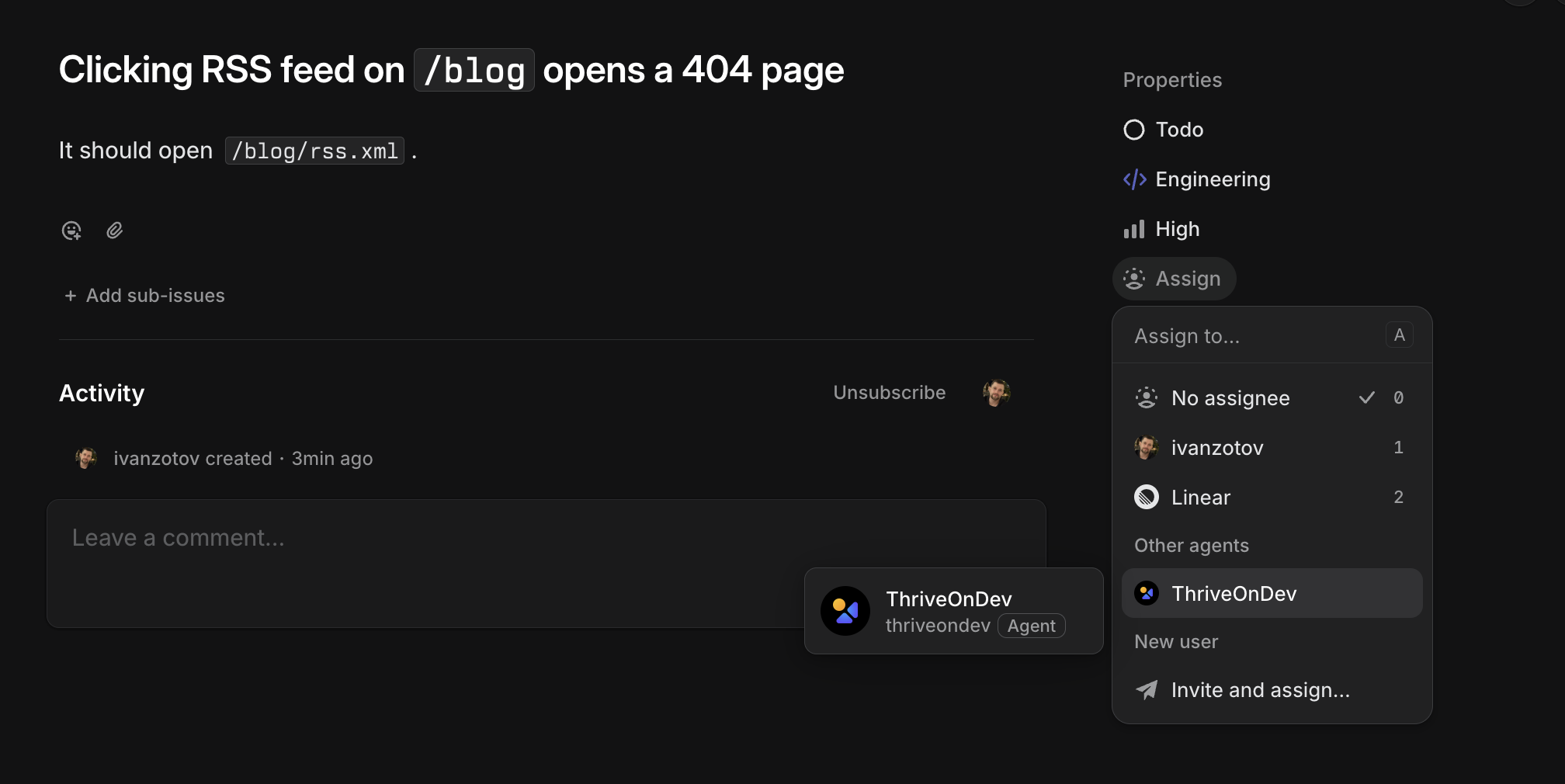
Assign or delegate the issue to ThriveOnDev, or mention the agent in a comment. To pick the coding agent yourself, include its alias in the comment.
@thriveondev #opus /implementLeave out the alias to use your workspace’s default developer agent. If your team has automatic tasks enabled, you can also start work with the Automatable label. An issue marked queued is waiting for a free slot.
Implementation opens the GitHub pull request
While the issue is In Progress, the agent reads the issue and its links, edits the code in an isolated checkout and runs the relevant checks. If it needs a detail from you, it asks in the Linear thread and waits for your reply. The pull request lists what changed and how the agent tested it.
A second agent reviews the change
At In Review, the reviewer checks CI and compares the diff with the issue. A build can pass with a broken link. For the RSS fix, the reviewer can follow the link on the blog and check that it opens the feed.
By default, the reviewer uses the same model as the coding agent in a fresh session. You can choose a different reviewer, such as Codex for a change written by Claude Code. If the reviewer requests changes, the issue returns to In Progress and the coding agent updates the same PR. After three automatic rounds of fixes, another rejection pauses the run for someone on the team to decide what to do.
When Linear shows In Human Review
If your workspace requires human approval, open the linked PR when the agent review passes. Read the diff alongside the Linear issue and submit your review in GitHub.
- Approve when you’re ready to ship. Each open PR on the issue needs approval from someone with write access. If another commit lands on the branch, review the new revision.
- Request changes if the PR needs work. Describe the fix in your GitHub review. The issue returns to In Progress. Requests from people don’t count toward the limit on automatic fixes.
Workspaces with human approval turned off go straight from agent approval to release.
Release merges the reviewed revision
At In Release, ThriveOnDev checks that the PR still points to the reviewed commit and that CI passed, then squash-merges it. A merge conflict or a failed required check sends the fix back through review. Once the checks on the merge commit pass, the issue moves to Done.
The docs cover how a run works and the commands and labels you can use in Linear.